
Description
Mailwick Site Audit looks for the faults that quietly cost a small business website visitors, email and trust, and tells you about each one in plain English with short steps to fix it yourself.
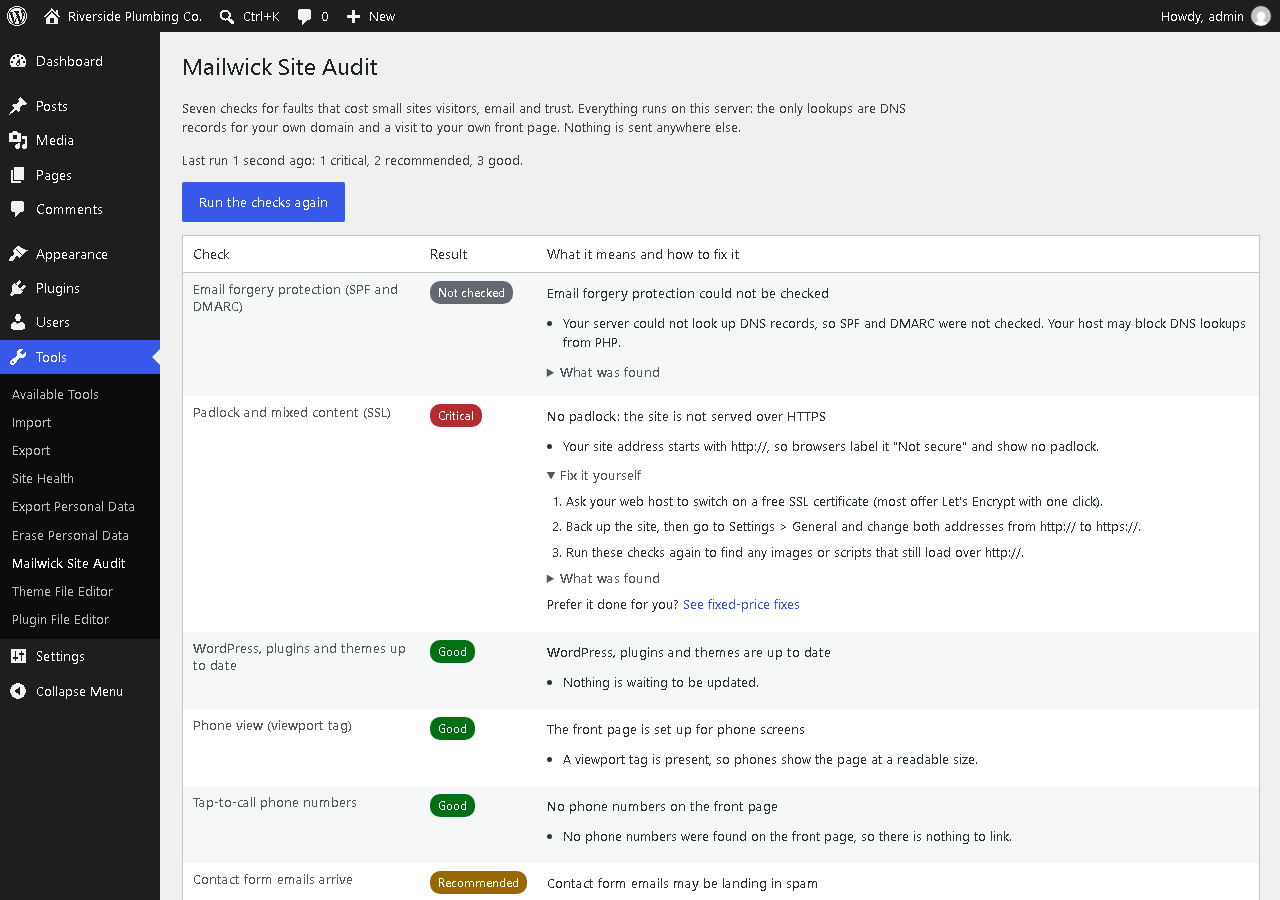
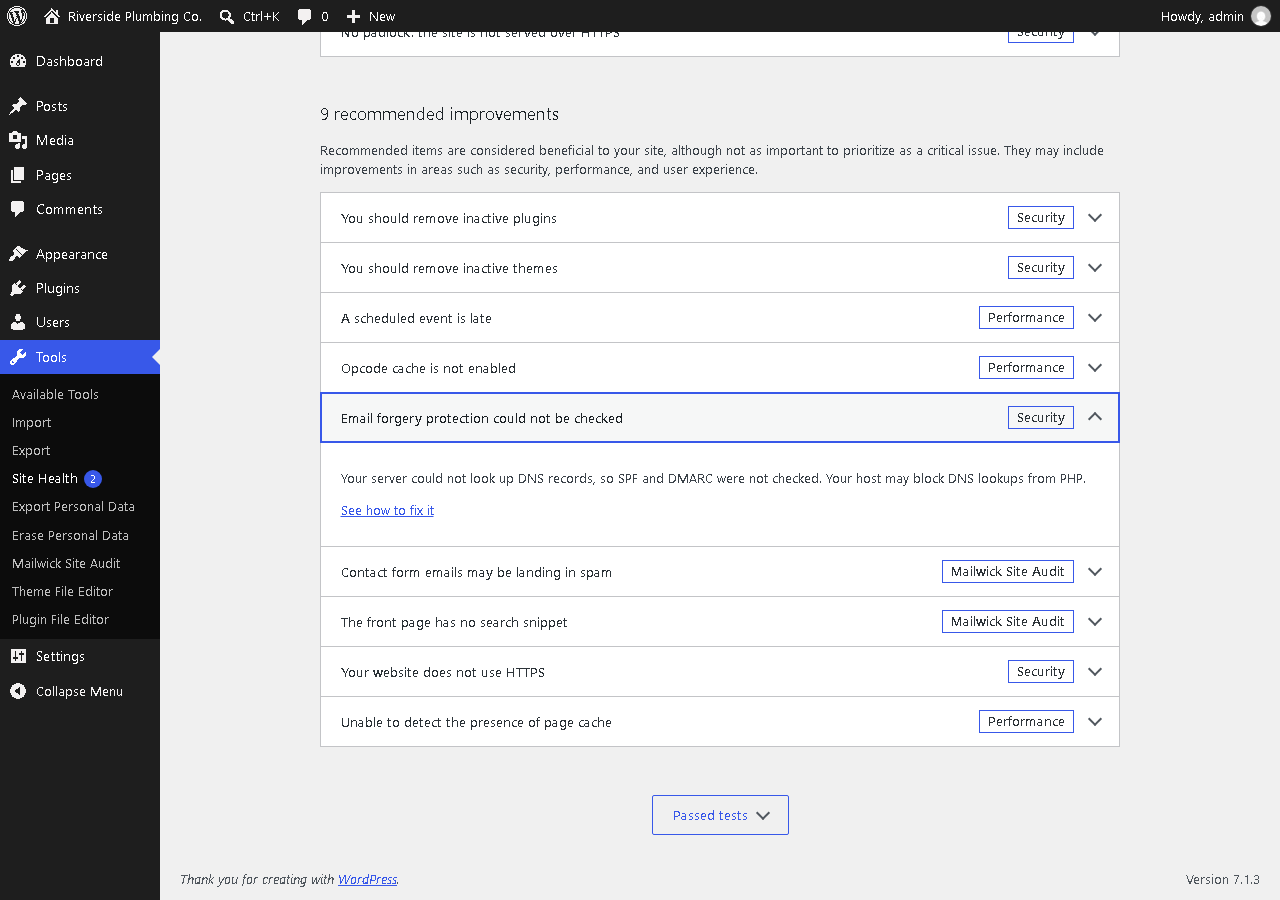
It adds one page, Tools > Mailwick Site Audit, and adds its checks to Tools > Site Health.
The seven checks
- Email forgery (SPF and DMARC). Looks up your domain’s SPF and DMARC records. If DMARC is missing or set to
p=none, anyone can send email that looks like it came from you@yourdomain, and your own mail is more likely to land in spam. Also catches two SPF records (which breaks both) and+all. - Padlock and mixed content (SSL). Confirms the site address uses https, that the SSL certificate passes verification, that the plain http:// address redirects to https://, and that the front page loads no scripts, styles, frames or images over insecure http://.
- Out-of-date WordPress, plugins and themes. Reads the update information WordPress already stores and lists what is behind. It does not trigger extra update checks.
- Phone view. Confirms the front page has a viewport tag, so phones show it at a readable size instead of a shrunken desktop page.
- Tap-to-call. Finds phone numbers on the front page that are plain text instead of tap-to-call links.
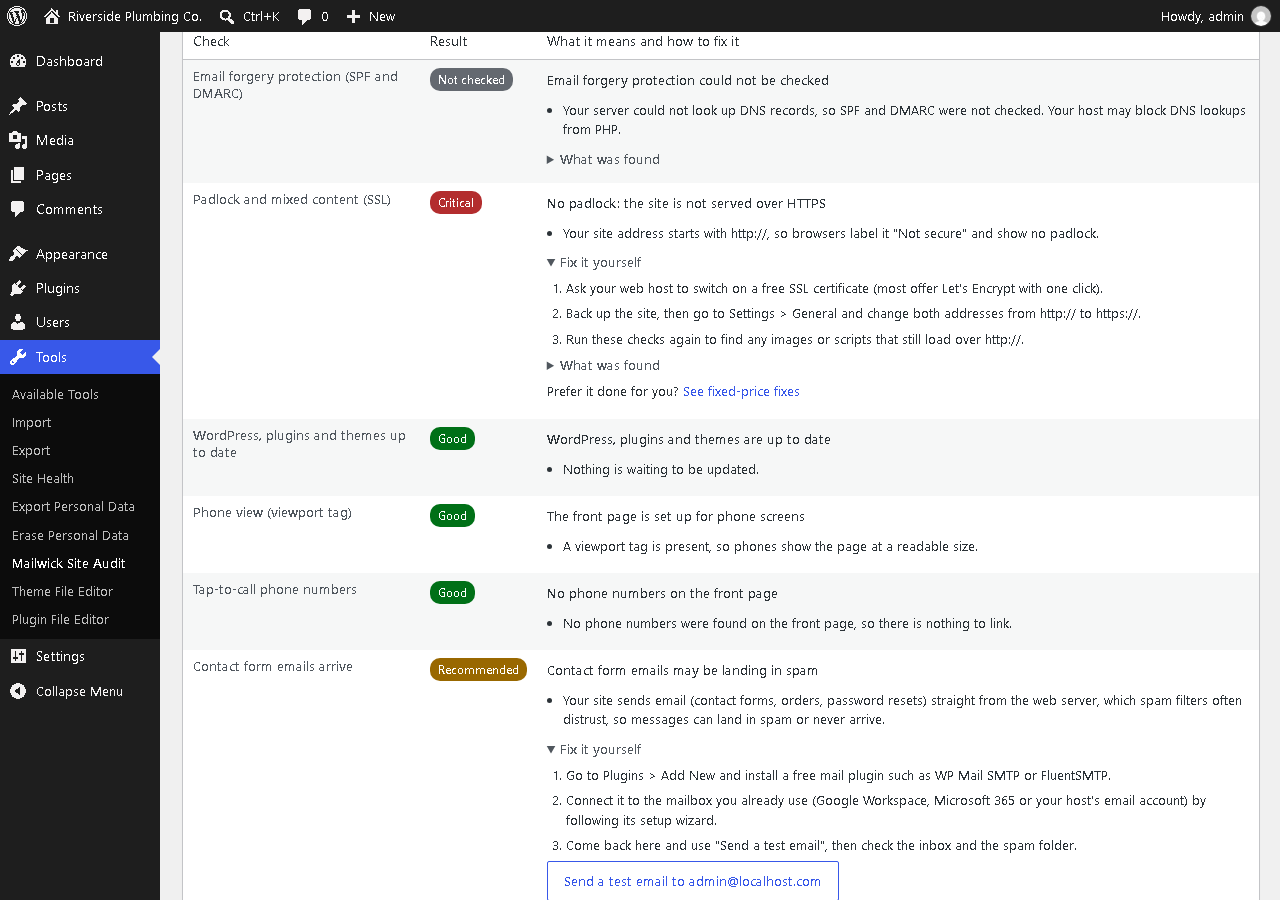
- Contact form email deliverability. Checks whether a mail-sending plugin (WP Mail SMTP, FluentSMTP, Post SMTP and others) is active. Without one, contact form messages leave straight from the web server and often land in spam. A button sends a test email to the site’s admin address so you can see where it lands.
- Search snippet. Confirms the front page has a meta description, so you choose the text under your link in Google rather than Google picking menu text or a cookie notice.
Each result is marked Critical, Recommended or Good, with a one-sentence explanation, the evidence found, and numbered steps to fix it yourself.
Private by design
- No account, no API key, no sign-up.
- No tracking and no data leaves your site. The plugin makes DNS lookups for your own domain and loads your own front page, nothing else.
- No ads or notices anywhere in the dashboard. A short “Prefer it done for you?” link appears only on the plugin’s own page, under a failing check.
External services
This plugin does not connect to any third-party service.
- DNS lookups. To check SPF and DMARC, the plugin asks your server’s own DNS resolver for the TXT records of your site’s domain and its
_dmarcname. Only your domain name is looked up; this is the same public lookup any mail server does when it receives mail from you. - Your own home page. To check the padlock, mixed content, phone view, tap-to-call and search snippet, the plugin requests your site’s own home URL (and its http:// version, to see whether it redirects to https://).
Under a failing check, the “See the fix guide and a fixed price” link points to that check’s guide under https://stephen-psaradellis.github.io/demos/ and is only followed if you click it. The plugin never requests those pages and sends them no data.
Screenshots
Installation
- In your dashboard go to Plugins > Add New, search for “Mailwick”, then Install and Activate. Or upload the
mailwick-site-auditfolder to/wp-content/plugins/and activate it. - Go to Tools > Mailwick Site Audit. The checks run on your first visit and take a few seconds.
- Work through anything marked Critical first, then Recommended. Click “Run the checks again” after each fix.
FAQ
-
Does this plugin send my data anywhere?
-
No. The only network activity is DNS lookups for your own domain and requests to your own home page. There is no tracking, no analytics and no remote account.
-
What are SPF and DMARC, in plain English?
-
SPF is a public list of the servers allowed to send email for your domain. DMARC tells receiving mail servers what to do with email that claims to be from you but fails that test: nothing (
p=none), send it to spam (p=quarantine) or refuse it (p=reject). Without DMARC, or withp=none, a scammer can send invoices or password-reset emails that appear to come from your address.To check a domain that is not on WordPress (a client’s, a supplier’s), the same SPF and DMARC test runs free in your browser at https://stephen-psaradellis.github.io/demos/email-forgery-check.html – nothing is installed and no data is stored.
-
Why does it say “Not checked” for some rows?
-
Some hosts block a site from loading its own pages (a “loopback request”), or block DNS lookups from PHP. When that happens the plugin says so instead of guessing. Tools > Site Health shows whether loopback requests work.
-
Will it slow down my site?
-
No. Nothing runs for visitors. Results are cached for 12 hours and the checks run only when you open the plugin’s page or Site Health, or click “Run the checks again”.
-
Does it fix things automatically?
-
No. It tells you what is wrong and how to fix it. Changes to DNS, certificates and themes are yours to make, so nothing changes on your site without you.
-
Who sees the test email?
-
The address in Settings > General > Administration Email Address. Only administrators can send it.
-
Is the “Prefer it done for you?” link required?
-
No. Every check comes with steps to fix it yourself. The link is an optional paid service, shown only on this plugin’s page and only under a failing check.
Reviews
There are no reviews for this plugin.
Contributors & Developers
“Mailwick Site Audit” is open source software. The following people have contributed to this plugin.
Contributors
Translate “Mailwick Site Audit” into your language.
Interested in development?
Browse the code, check out the SVN repository, or subscribe to the development log by RSS.
Changelog
1.0.0
- First release: email forgery (SPF, DMARC), padlock and mixed content, updates, phone view, tap-to-call, contact form email with a test email button, and search snippet checks, on Tools > Mailwick Site Audit and in Site Health.