

Description
Media Switcheroo is a WordPress plugin for replacing files already stored in the Media Library without changing the attachment ID or existing media URL.
It is designed for common maintenance tasks such as replacing an updated image, PDF, document, download, or other WordPress-supported attachment while keeping existing references intact.
Features
- Replace Media Library files in place.
- Preserve the attachment ID and existing URL.
- Preserve title, alt text, caption, description, and attachment relationships.
- Support images, PDFs, documents, and other WordPress-supported media types.
- Require the same file extension to avoid breaking existing links.
- Regenerate image sizes and attachment metadata after replacement.
- Regenerate supported PDF preview metadata through WordPress core.
- Clear the cached data WordPress holds for the replaced file.
- Purge supported cache and optimization plugins when detected.
- Purge supported hosting caches when detected.
- Clear Elementor generated-file cache when available.
- Add a version value to media URLs on the public site after replacement to help defeat stale browser and CDN caches.
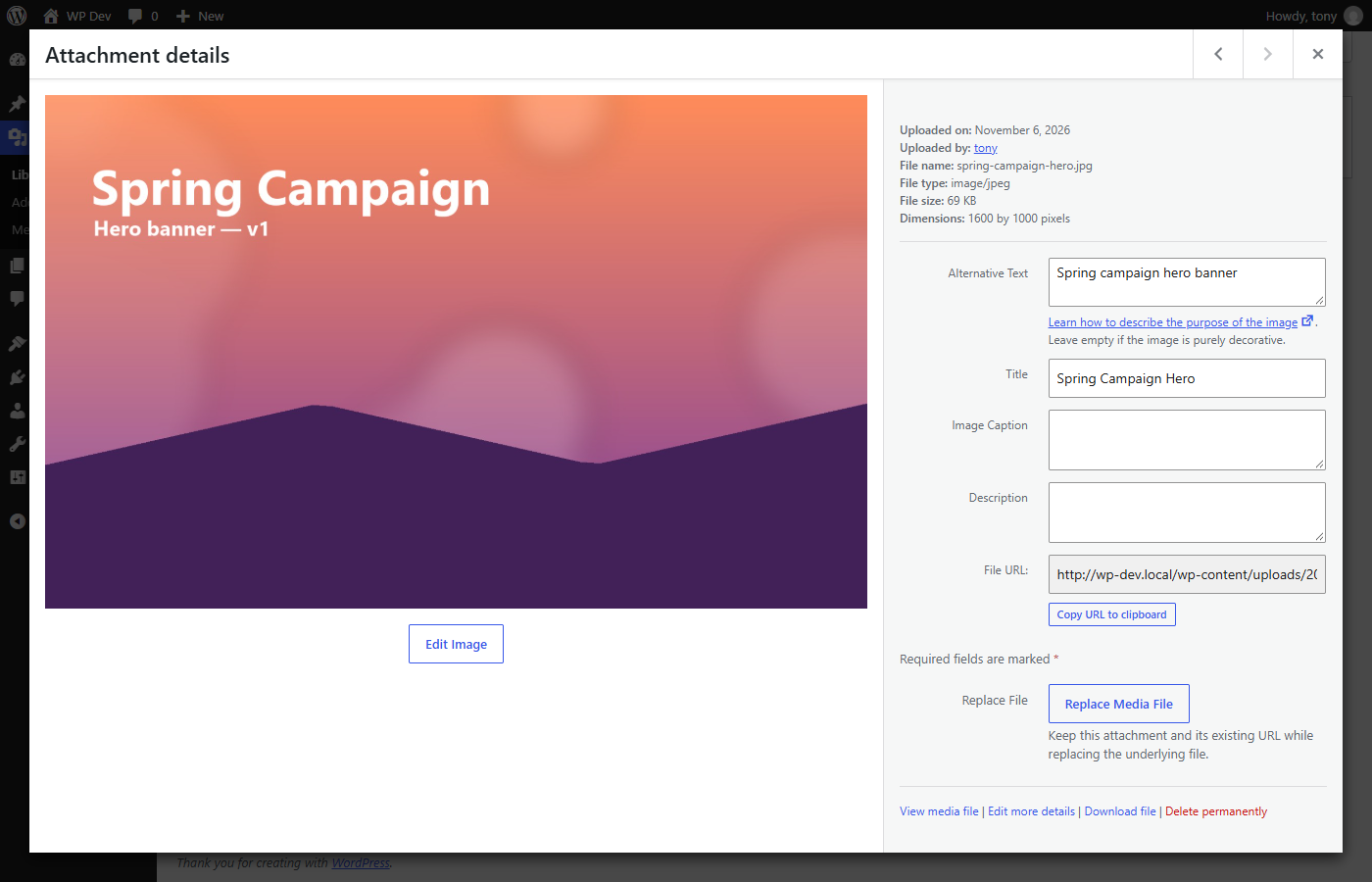
- Add Replace File actions directly to Media Library workflows.
- Check replacement files before they are installed, and restore the original if anything goes wrong.
- Responsive WordPress admin interface.
- No external service or tracking required.
Who can use it
Users who can upload files and edit the media item (or manage the site) can replace it. Replacement files are checked against the file types your site already allows.
Screenshots


Installation
- Upload the
media-switcheroofolder to/wp-content/plugins/or install the ZIP through Plugins > Add New > Upload Plugin. - Activate Media Switcheroo.
- Go to Media > Media Switcheroo or use the Replace File action for an existing Media Library item.
- Select a replacement file with the same file extension.
- Select Replace Media.
FAQ
-
Why must the replacement use the same extension?
-
This plugin keeps the existing Media Library URL. Requiring the same file extension prevents an existing .jpg URL from suddenly containing PDF data, or similar mismatches that can break browsers, servers, and existing links.
-
Will the attachment ID change?
-
No. The existing WordPress attachment record is preserved.
-
Will my alt text, title, caption, and description stay?
-
Yes. The plugin changes the underlying file, not the attachment’s editorial information.
-
Are image thumbnails regenerated?
-
Yes. WordPress attachment metadata and registered image sizes are regenerated after replacement, and image sizes that no longer apply are removed.
-
Does it clear caches?
-
Yes. The plugin clears the cached data WordPress holds for the replaced file and attempts to purge supported page-cache, hosting, optimization, and builder caches that are detected on the site. It does not flush your whole object cache unless you ask it to. Developers can use the
media_switcheroo/cache/purgeaction to integrate additional cache systems, or return true from themedia_switcheroo/flush_object_cachefilter to also flush the entire object cache. -
Why does the plugin add a query string to replaced images?
-
The replacement keeps the same URL, which can cause browsers and CDNs to continue showing a cached copy of the old file. A replacement version is appended to media URLs on the public site so a new replacement produces a new cache key. It is not added in the admin or in the editor, so it is never saved into your posts.
-
Can I replace SVG files?
-
Only if your site already allows SVG uploads. The plugin then checks the replacement before installing it and rejects SVG files that contain scripts, embedded HTML, event handlers, or references to anything outside the file (external images, links, stylesheets, or imports).
-
Does it send any data anywhere?
-
No. The plugin makes no external requests and does not track anything.
-
What does it do when the plugin is deleted?
-
It removes the replacement version, date, and user values it stored on media items. Your media files and their details are not touched.
Reviews
There are no reviews for this plugin.
Contributors & Developers
“Media Switcheroo” is open source software. The following people have contributed to this plugin.
Contributors
Translate “Media Switcheroo” into your language.
Interested in development?
Browse the code, check out the SVN repository, or subscribe to the development log by RSS.
Changelog
1.0.0
- Initial release.
- Replace Media Library files in place while keeping the attachment ID and URL.
- Regenerate image and PDF metadata and remove stale image sizes.
- Staged installation with rollback, uploads-directory and symlink protection, and server-side size, type, and image validation.
- Validation of SVG replacements that blocks scripts, embedded HTML, event handlers, and external references.
- Clear the replaced file’s cached data and purge supported cache plugins, hosting caches, and Elementor generated files.
- Add a replacement version to public media URLs (including resized images) to defeat stale browser and CDN caches.
- Replace File actions in the Media Library and Attachment Details.
- Developer hooks:
media_switcheroo/replaced,media_switcheroo/cache/purge, andmedia_switcheroo/flush_object_cache.